See who needs you.
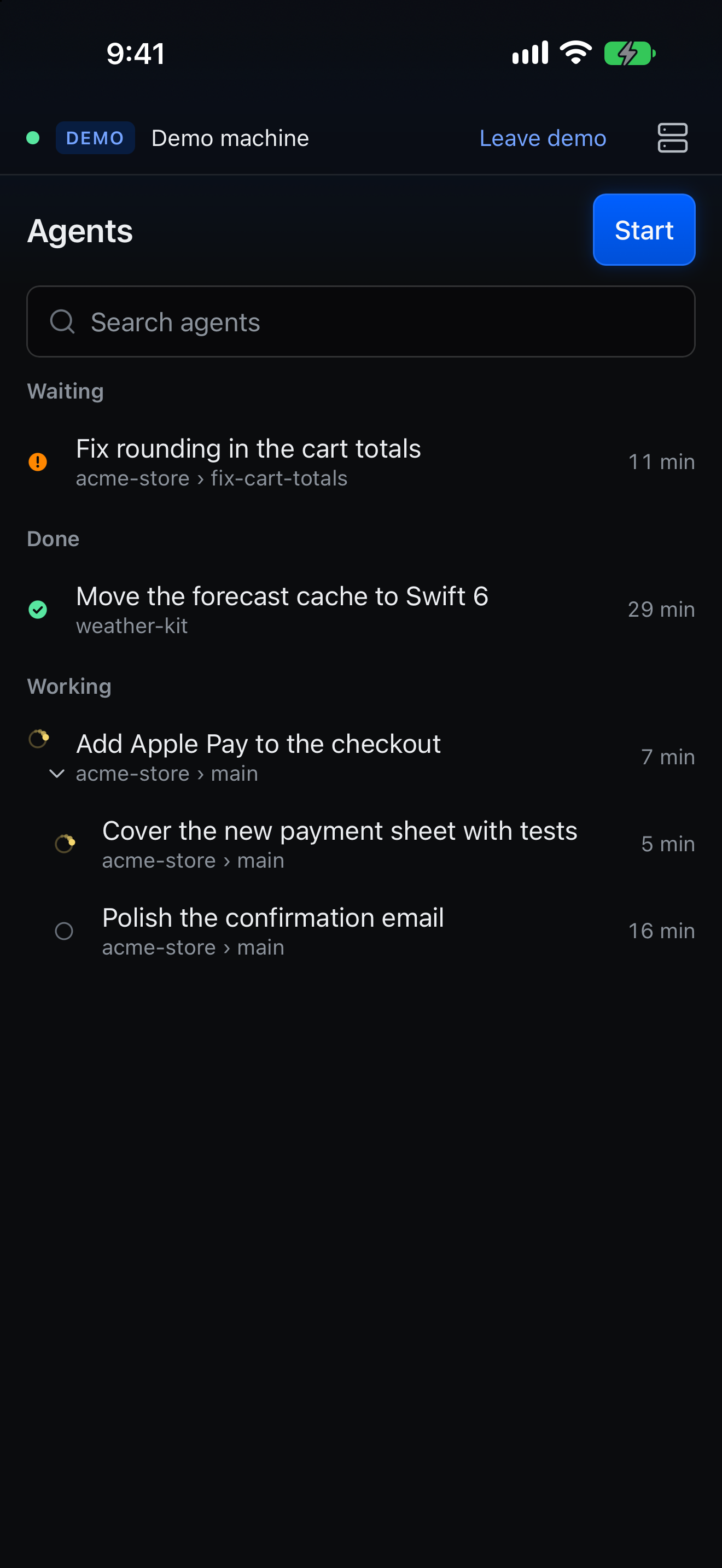
Every agent of your projects on one board, with its status and for how long it has been in it. The ones that need you come first, and the agents they started fold under them. The board updates live.
Answer an agent.
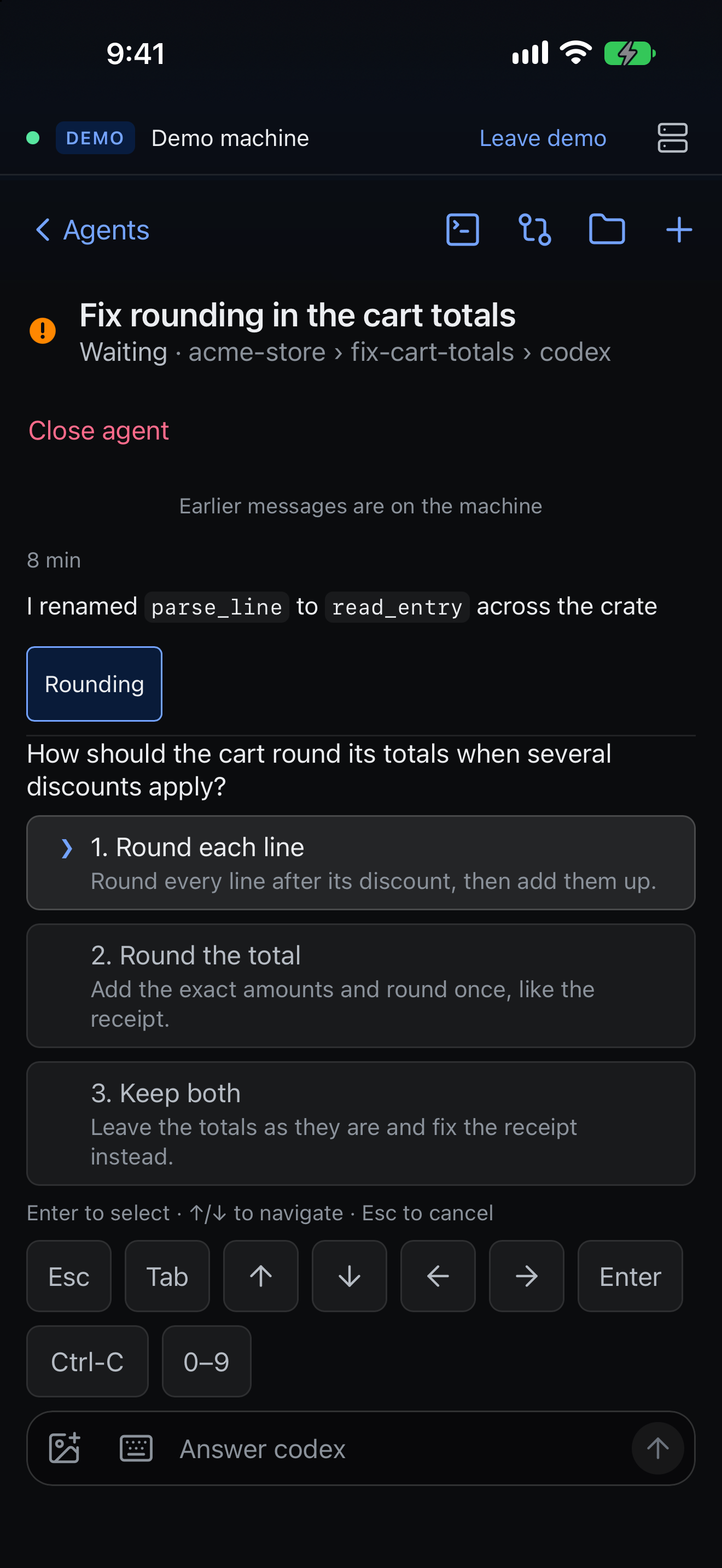
Tap an agent to read its conversation and its last message, see what it is doing right now, and answer it. When it asks a question, its options show as buttons, and a row of keys sends what a prompt needs.
EnterTab↑↓EscCtrl-C
Open the live terminal.
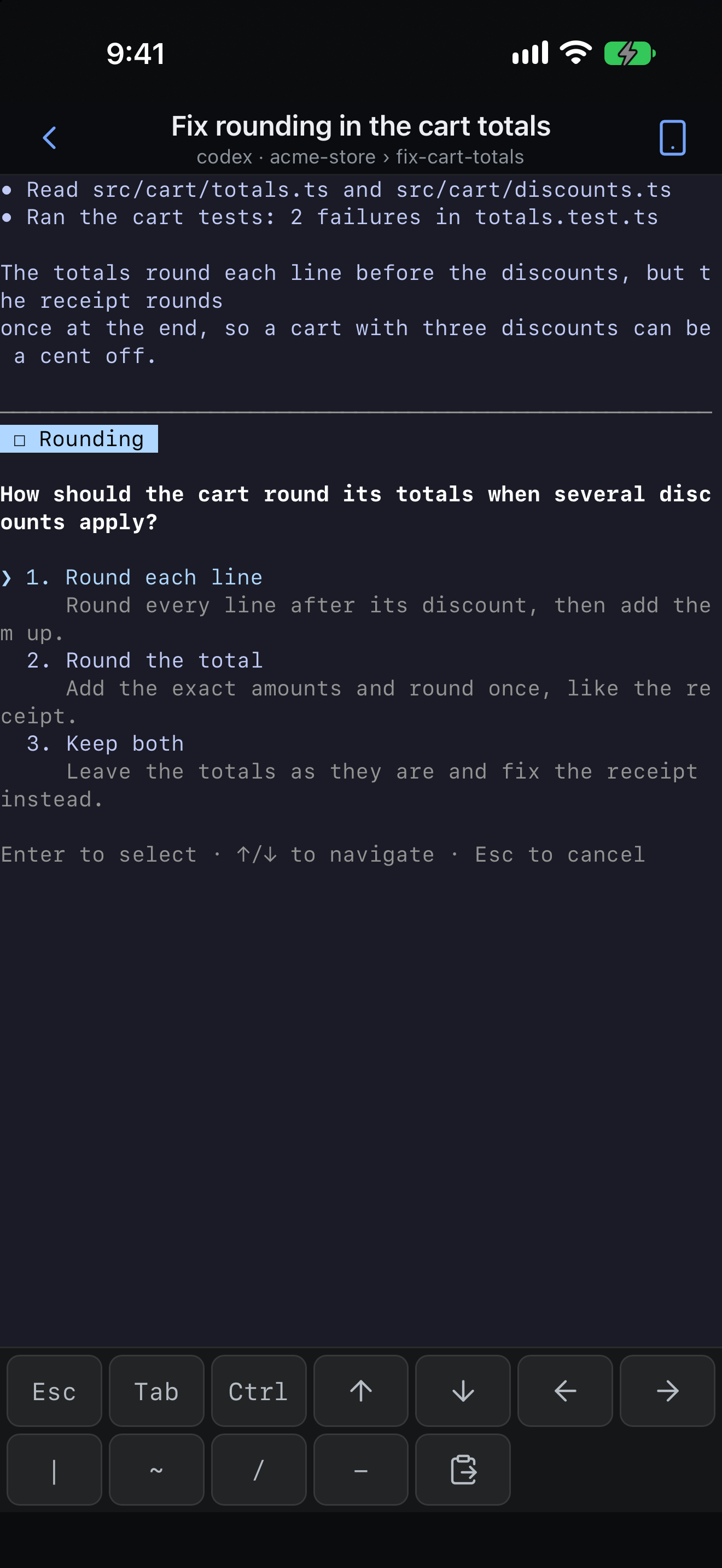
See the agent's terminal as it runs, fitted to your phone's width, and type into it with the keys a terminal needs.
Check the changes.
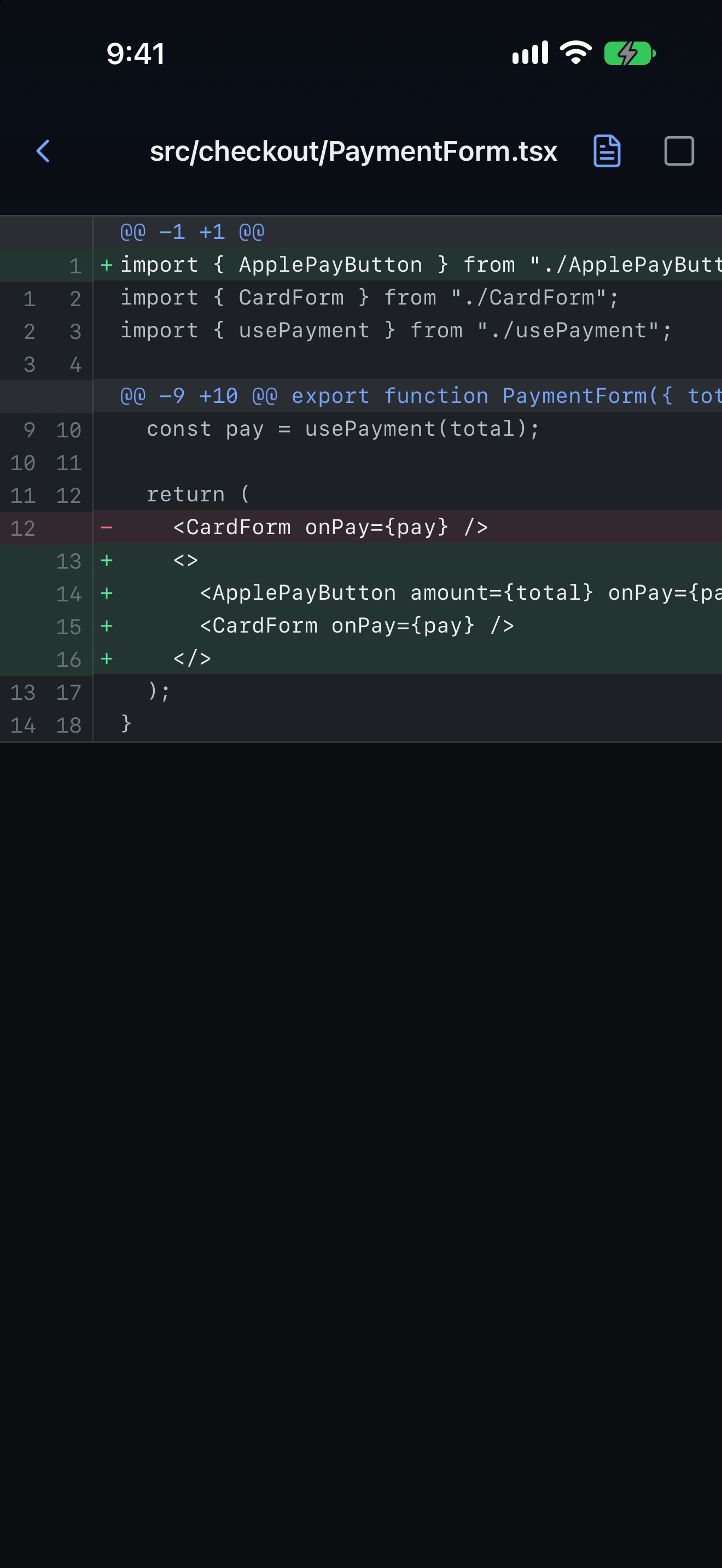
See which files a workspace changed, read each diff and mark it viewed, as cornercase's changes panel does.
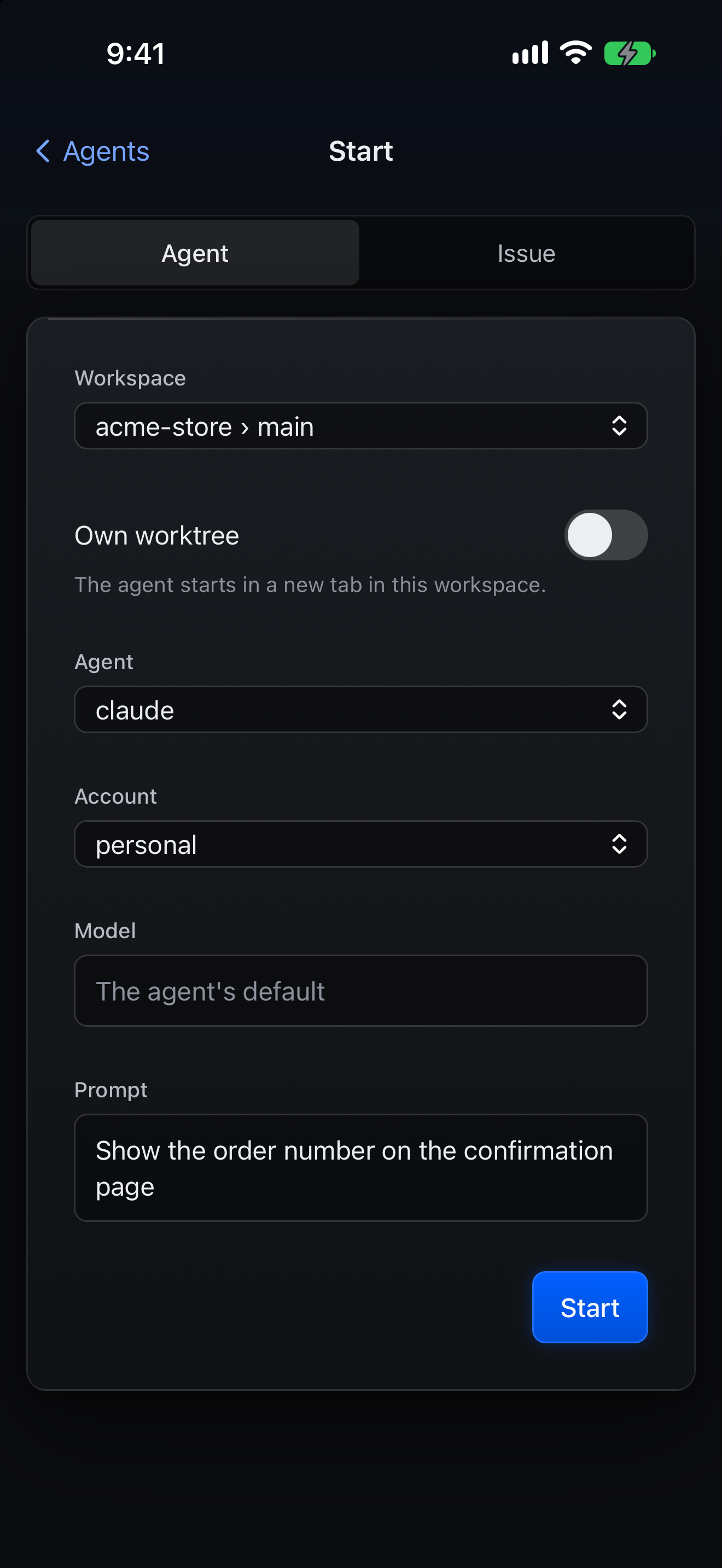
Start new work.
Start an agent with a prompt, in a workspace that is already open or in a new worktree, with the agent, account and model you pick. Or start an agent or a flow on an issue from any tracker cornercase is connected to.
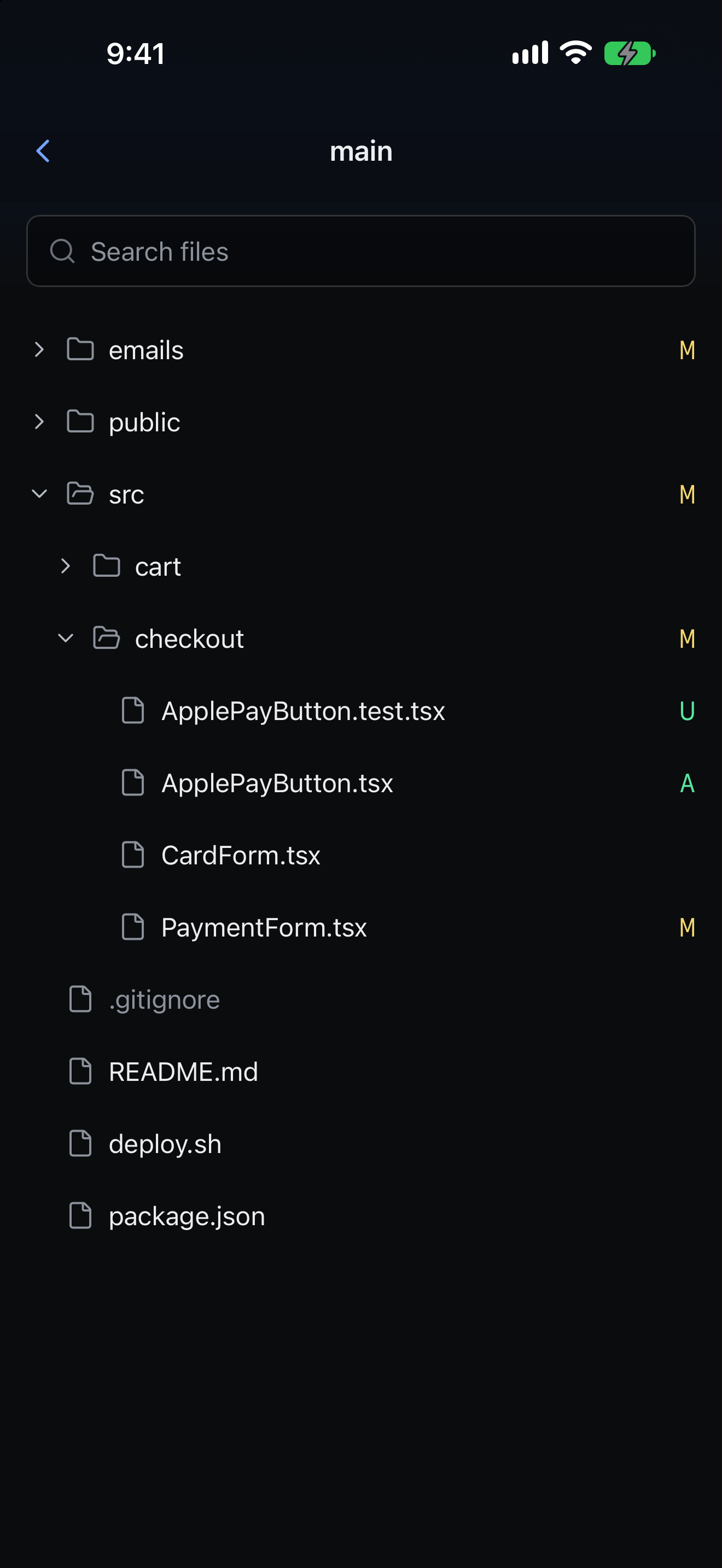
Browse the files.
Browse the workspace's files, read a file or a picture, and search them by name.
What it needs.
The agents keep running in cornercase on your computer. The app follows them from your phone.
cornercase on your computer
cornercase 0.13.78 or later, running on your computer (Linux or macOS).
Install cornercaseA phone that can reach it
On the same network as the computer, or with both on your Tailscale network.
No account
No account and no sign-in. The app collects nothing and talks only to the machines you pair it with.
Privacy policyPair it with your computer
In cornercase on your computer, open Settings › Remote › Phone app, then scan its QR code from the app's Machines screen, or paste the code.
Try it without a computer
Tap Try a demo on the first screen to open a demo machine simulated on the phone, marked DEMO, with sample agents to read, message, answer, start and close. It uses no network and saves nothing.
Put your agents in your pocket.
Free and open source, MIT or Apache-2.0. For iPhone on iOS 15 or later, and Android 7.0 or later.

Coming soon on Google Play
Android: download the APK from GitHub Until the app is on Google Play. It installs outside the store: the first time, Android asks you to allow installing apps from your browser.